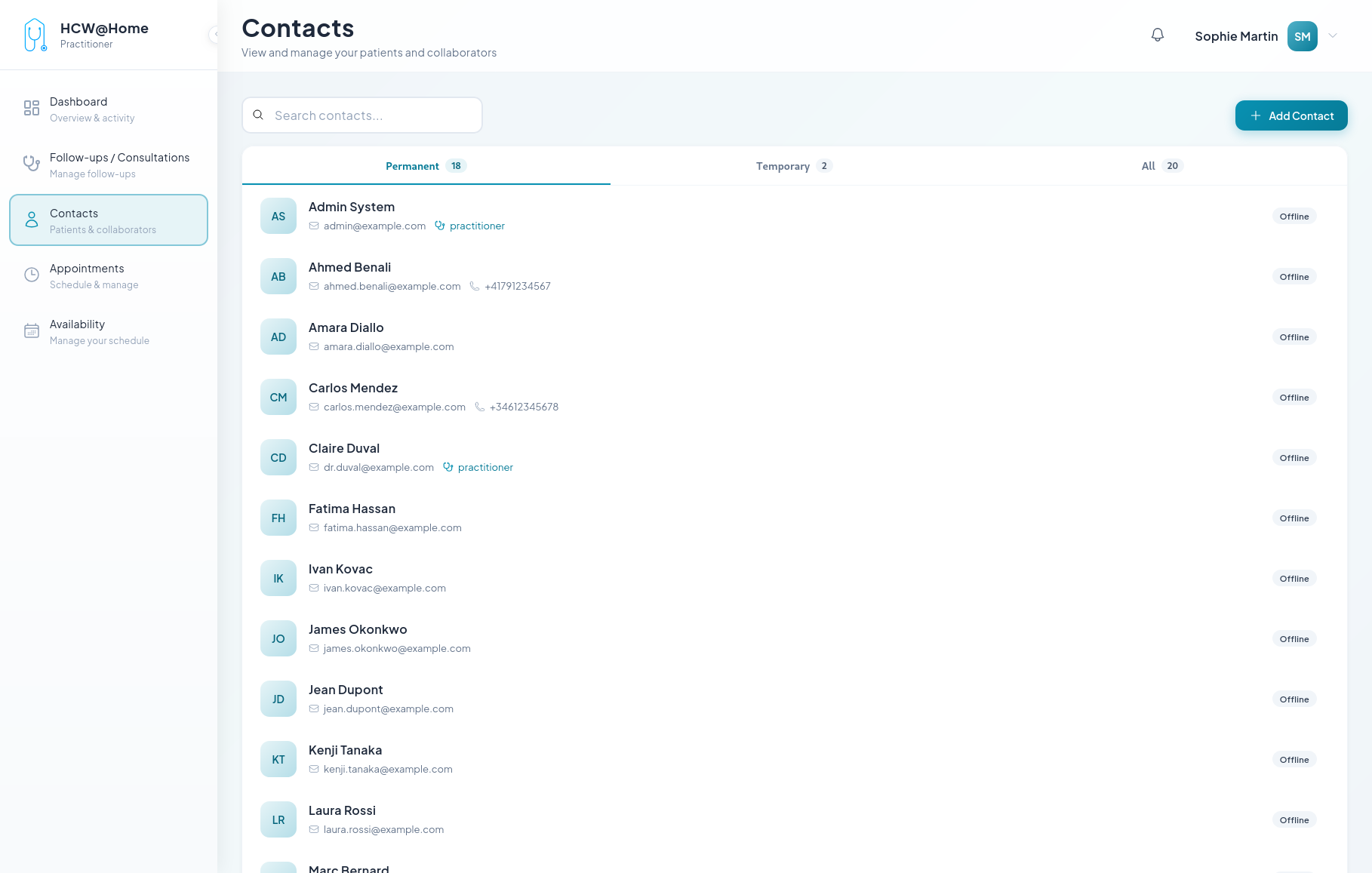
Follow-up and Exchange Chat with Patient
Practitioners maintain ongoing communication with patients through follow-up consultations and secure messaging.
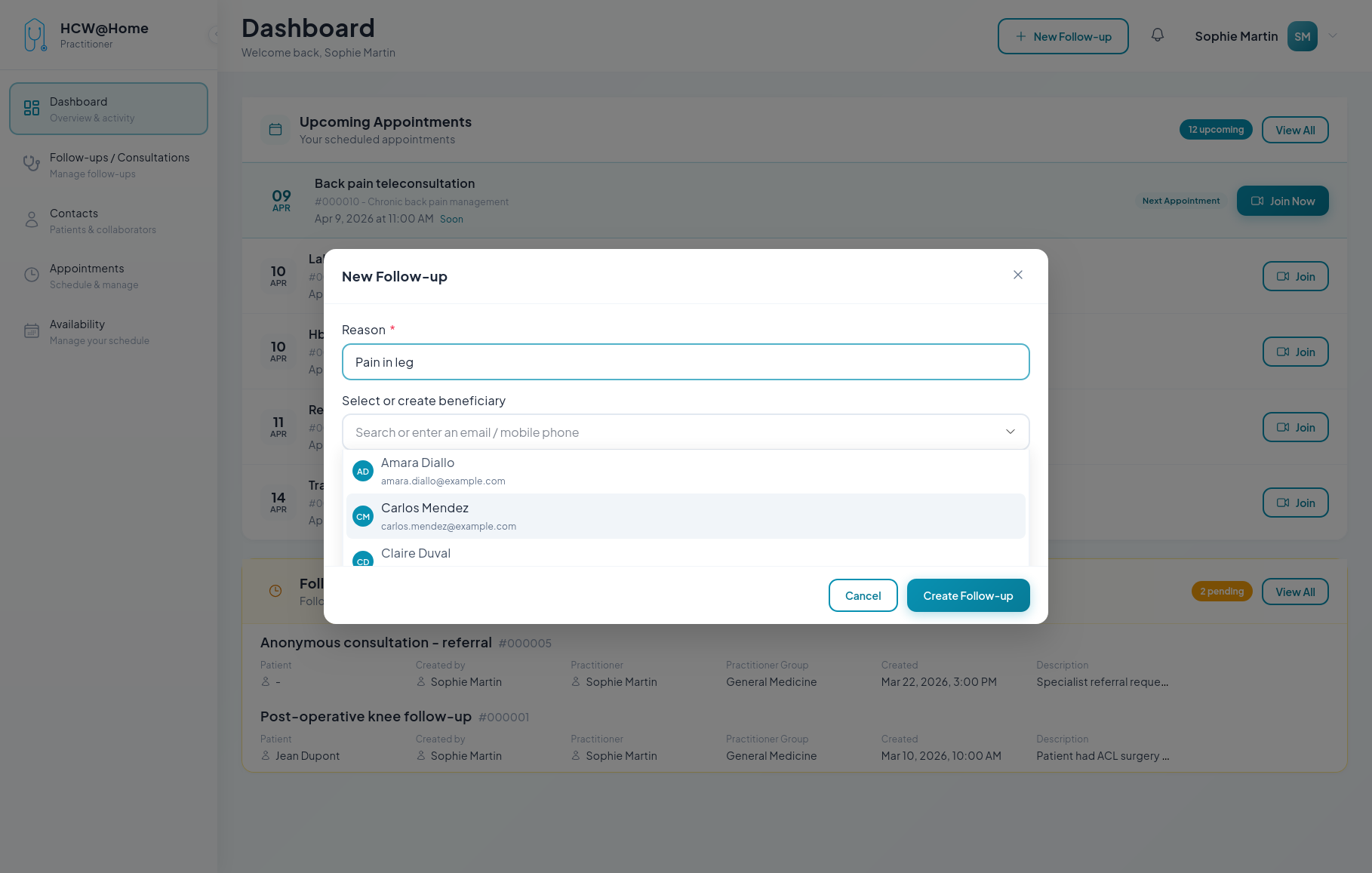
Creating a Follow-up
Typical flow:
- The practitioner creates a new follow-up from the contact list
- The patient receives an invitation via SMS or email
- The practitioner and patient exchange messages, files, and images via real-time chat
- The practitioner can schedule appointments within the follow-up
- Documents and prescriptions can be shared securely
Features used: real-time chat, file sharing, ClamAV antivirus, PDF report generation.
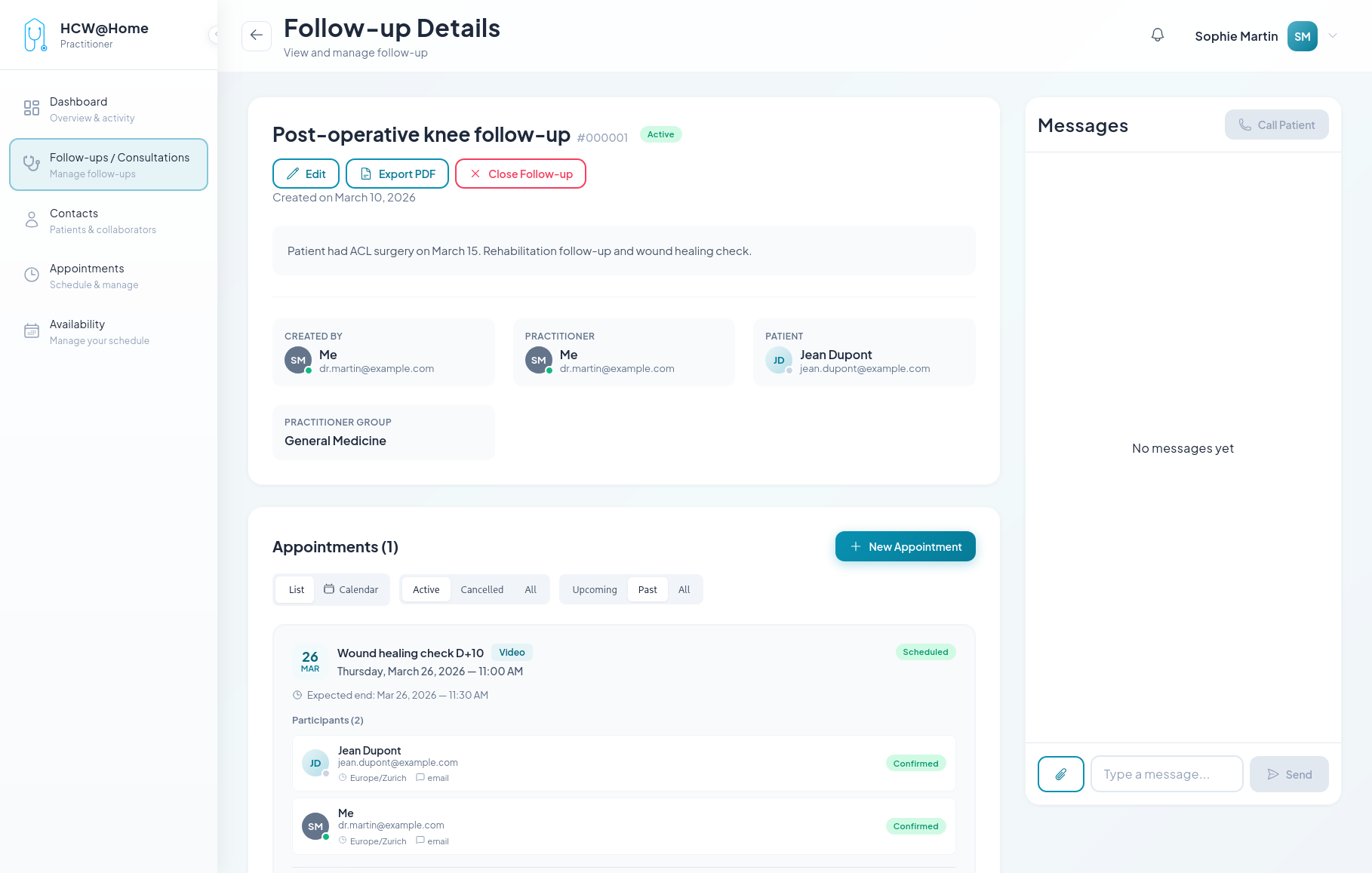
Follow-up Details
The practitioner can review the full history of exchanges with the patient, including messages, shared files, and past appointments.
Contact List
All active follow-ups are accessible from the contact list, allowing practitioners to quickly resume conversations.